As part of our commitment to enhance our OffiDocs services we have just included Web push notifications in our website. This is going to be our main communication channel with our end users because you know that according to our Terms of Service we do not collect any personal data, neither phones, nor emails, ... so we have opted for this communication channel, which is anonymous.
We do recommend all of users to subscribe to our Web Push notification channel because important news are coming affecting to all of our Web online desktop applications. We have been working during the last 3 months in order to prepare our framework in order to update our applications to the newest versions. This has been a demand from a lot of users so we have dedicated a lot of efforts in order to prepare our platforms for that.
During the coming months you will note that app by app all the Linux apps will be upgraded to the last version available. And everything will run over CentOS 7. Subscribe to our web push notifications to keep updated.
Do not hesitate to contact us for further information at info@offilive.com
OffiDocs allows any website to incorporate all the OffiDocs using a menu navigation bar.
You can include in your website direct access to all the OffiDocs apps. It is a menu navigation bar developed with an HTML code to be imported in your website. It is available in GitHub https://github.com/officeonlinesystems/offidocsmenuapps
This is a navigation bar that can be included in any WebSite to use all the OffiDocs apps. The OffiDocs applications included are:
OpenOffice Writer online
OpenOffice Calc online
OpenOffice Impress online
PDF editor online online
Gimp image editor online
Inkscape vector editor online
OpenOffice Draw online
Audacity audio editor online
Avidemux video editor online
LMMS music creator online
Openshot video editor online
Sweep audio editor online
Dia diagram editor online
Eclipse IDE program online
Geany IDE program online
Planner project plan online
Telegram web online
OffiLive free email
Chess online
Four in a row online
This navigation appear as shown in the following pictures:
To use this navigation bar you only need to include the HTML code of the offidocsmenubar.html file.
You can also opt to create direct links to use each application, but change the username to your own instead of using demo01:
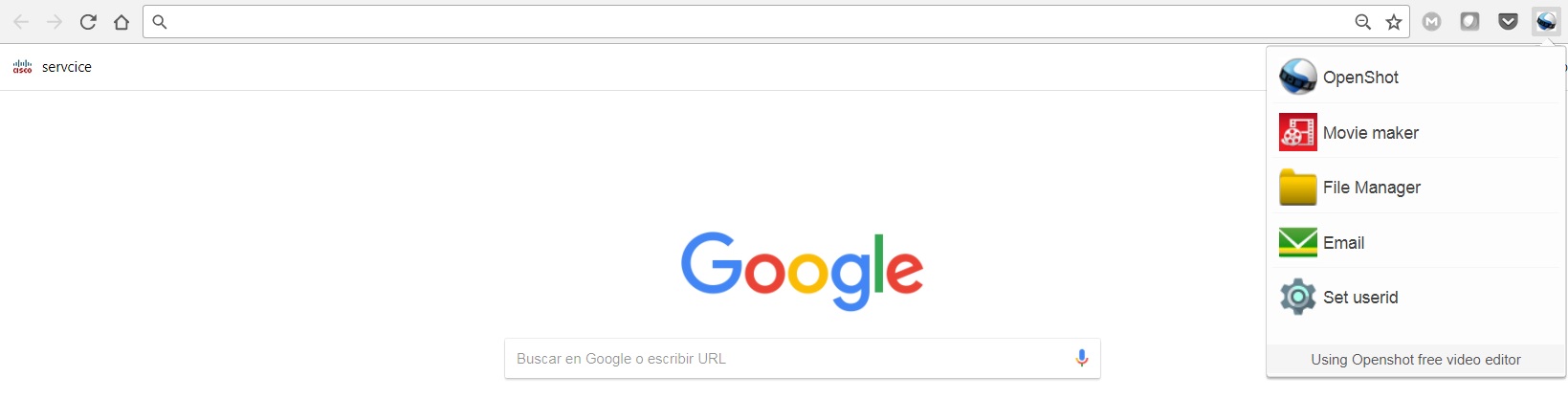
OffiDocs video editors online and OffiDocs movie editors online have been integrated with the video and movie editors from RedcoolMedia. Our Chrome extensions and Firefox addons for Videos and Movies have incorporated their RedcoolMedia counterparts
They offer now links to the following functionality:
* The RedcoolMedia Movie maker video editor.
* A File manager to handle your files online.
* Our free email @offilive.com service.
These three additional features features appear as shown in the following figure:
MovieStudio is an extension to make movies, record videos, edit videos, modify them using another videos you can import. MovieStudio also allows to add audios, images, and texts into your movies and videos. Its main features are:
* Support MP4 videos, WEBM videos, MP3 audio files , GIF images, PNG images, JPG images and TEXT files or content.
* Record any video and import them in your project:
- MovieStudio provides a button that capture videos from your camera. The video recorded are imported in your Gallery along with other objects that can be used to make your movie.
- After importing your recorded video in your Gallery, drag your video from the Media Gallery to the timeline. Drag it to Layer 0 or any other layer.
- Refer to the following section in order to know what to do with any of your video.
* Add and modify MP4 or WEBM videos included in your project:
- You can import videos from the Internet by pasting in the link, or uploading a local video. Once you have found a MP4 or WEBM video you like, copy the link by right-clicking on the Video link and selecting Copy Link Address from the context menu. Then paste the link into your VideoStudio project and click on Get Media.
- Drag your video from the Media Gallery to the timeline. Drag it to Layer 0 or any other layer. Once you have dragged your video to the timeline, you will enter in an editor from which you can extend the video time or shorten it, you can turn the video portion of your clip off; and you can do the same thing with the audio, as well as turn the volume down.
- You assemble your project in layers. Layers with lower numbers appear above layers with a higher number. So layer one appears on top of layer two.
* Add any MP3 audio file in your project taking into account that adding MP3 audio files is similar to adding video files:
- Once the MP3 audio files are imported you can drag your audio from the Media Gallery to the timeline from which an editor is open.
- The audio editor allows to extend the audio time or shorten it, and select only a portion of your audio if you would like.
* Include texts into your movie. In the Events tab there is an option to add some text to your video. MovieStudio provides an editor for this text integration. It allows to change the time when your text starts and ends, move it around on the canvas, and change the way it transitions on and off the page. It also allows to change the font and color.
* Include images into your movie or video. In the Events tab there is an option to add some images to your video. The formats supported are PNG, JPG and GIF. MovieStudio provides an editor for this images integration. It allows to change the time when your image appears in your video.
* Create your MP4 movie or video file. In the Project tab there is a button to create a MP4 file with your composition of videos, audios, images and texts. This MP4 creation uses the open source software FFMPEG.
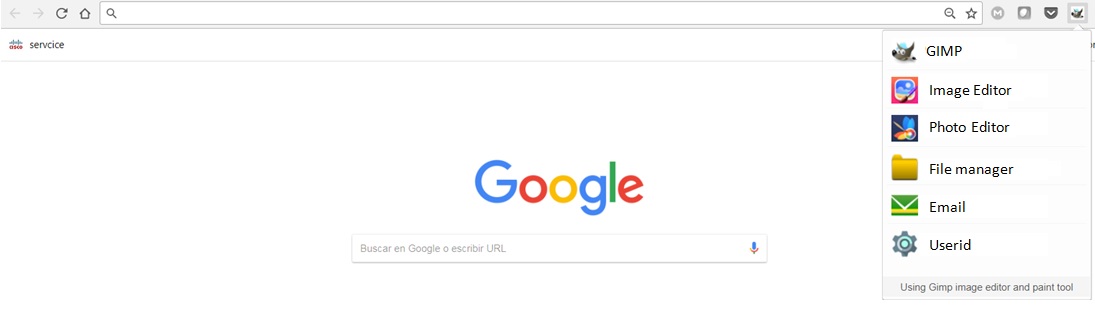
OffiDocs image editors online and OffiDocs photo editors online have been integrated with the image and photo editors from RedcoolMedia. Our Chrome extensions and Firefox addons for Photo and Images have incorporated their RedcoolMedia counterparts. The OffiDocs extensions enhanced are:
They offer now links to the following functionality:
* The RedcoolMedia Photo editor PhotoStudio for images.
* The RedcoolMedia Image editor PaintMagick for photos.
* A File manager to handle your files online.
* Our free email @offilive.com service.
These four additional features features appear as shown in the following figure:
PhotoStudio is a photo editor to modify any image, use your camera to take pictures, import them, and edit any kind of images and graphics. It provides a flexible area with a multitude of photo editing features, effects and filters. Its main features are:
- Take pictures from your PC or laptop camera.
- Import pictures to modify them.
- Filters, which determine the atmosphere of pictures and help convey the right message for your creative.
- Custom filters, that can be created by anyone using LUTs (Lookup Tables) from popular apps like Photoshop, GIMP or Lightroom.
- Overlays, which can be used to create neat lighting effects such as lens flare, bokeh or light leaks. It can also be used to furnish pictures with textures like crumpled paper or plaster.
- Adjustments like brightness, contrast or clarity so that users can tune their images and graphics to produce stunning creatives.
- Transform effects like cropping, flipping and rotation operations.
- Allow to quickly add text to any picture or creative. The corresponding font library can easily be exchanged, reduced, or expanded.
- Provide Stickers.
- Brush, which is optimized for touch screen interaction and supports different brush strokes that can be edited in terms of thickness and color.
- Download or share the pictures modified.
PaintMagick is an image editor for photos and draws with advanced drawing features, effects and filters. It allows to create and edit images directly in the web browser. You can create images, paste from clipboard (ctrl+v) or upload from computer (using menu or drag & drop). Everything stays in your web browser.
Its main features are:
- Files: open images, directories, URL, drag and drop, save (PNG, JPG, BMP, WEBP, animated GIF, JSON (layers data), print.
- Edit: undo, cut, copy, paste, selection, paste from clipboard.
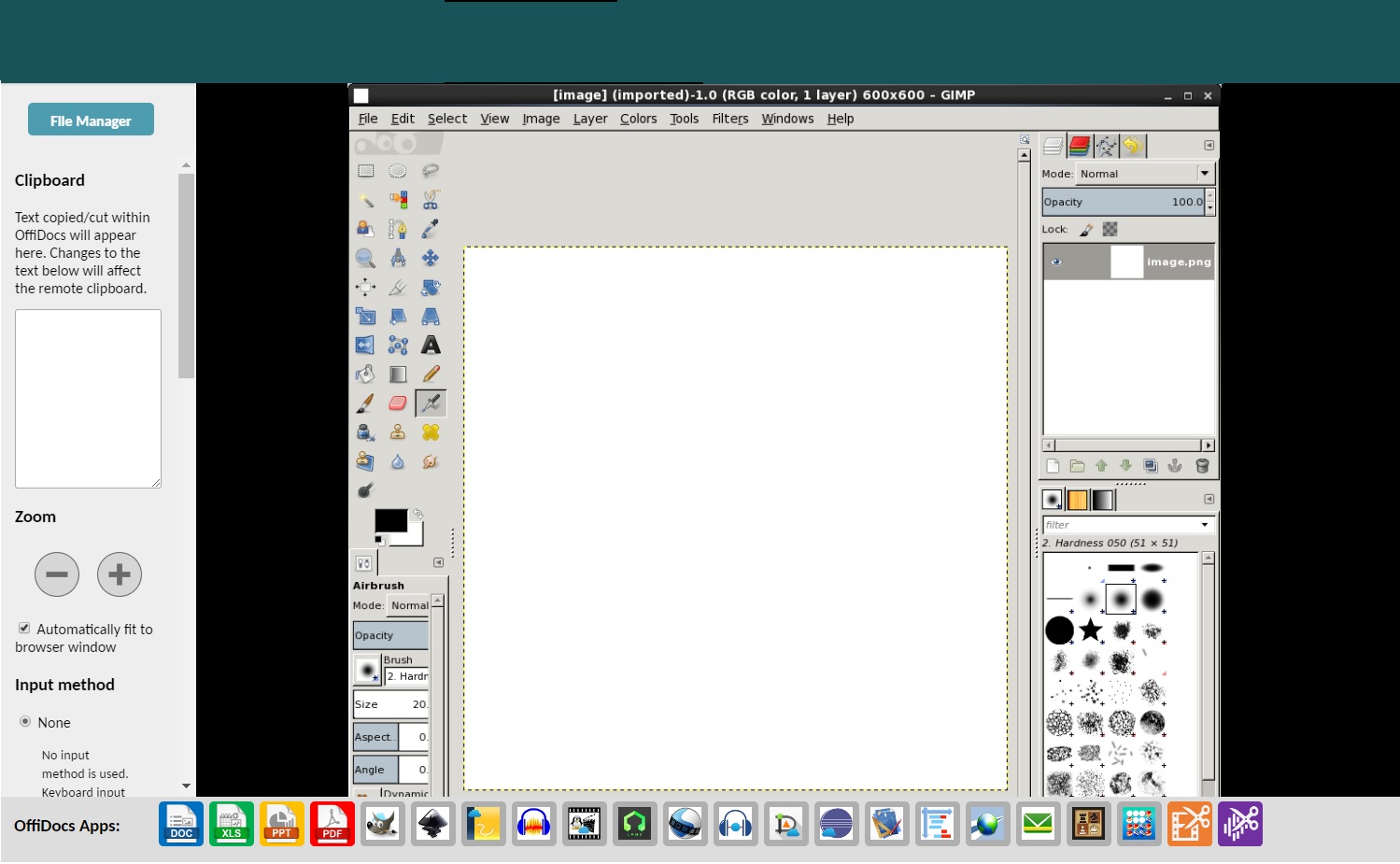
OffiDocs has developed a navigation menubar in order to start the most important OffiDocs apps online from a centralized menu. Navigation menu bar in order to access the most important OffiDocs applications once it has been open and it is running. It is available in all the OffiDocs Linux online apps.
This application menu is an horizontal navigation bar as shown in the following picture:
Its design is web responsive in the sense that if necessary the OffiDocs menu navigation will provide a scrollbar to find the OffiDocs app that end user wants to execute.
The OffiDocs applications included are:
OpenOffice Writer online
OpenOffice Calc online
OpenOffice Impress online
PDF editor online online
Gimp image editor online
Inkscape vector editor online
OpenOffice Draw online
Audacity audio editor online
Avidemux video editor online
LMMS music creator online
Openshot video editor online
Sweep audio editor online
Dia diagram editor online
Eclipse IDE program online
Geany IDE program online
Planner project plan online
Telegram web online
OffiLive free email
Chess online
Four in a row online
All of these options mean that when you are running an application you can quickly open another one so it is a clear benefit to use the OffiDocs platform.
This OffiDocs menu navigation application bar is displayed at the bootom of the OffiDocs webpage:
A video showing how to use the OffiDocs menu navigation application bar:
OffiDocs platforms continues enhancing the end user experience with more applications. OffiDocs has signed an agreement with the RedcoolMedia and DandroidMobile platforms and their technology. Both platforms will be integrated in OffiDocs. This integration is the OffiDocs commitment to continue improving our free apps.
We are excited about these two acquisitions and all the opportunities that it gives to our end users:
RedcoolMedia (https://www.redcoolmedia.net) is a very consolidated platform that provides web applications for productivity, video, audio, images and messaging. It is the perfect match to integrate a web app alternative to each OffiDocs web app.
DandroidMobile (http://www.dandroidmobile.com) is a team that provides Android apps using VNC and RDP connections to a remote desktop where applications can be run. It is also perfect to improve the OffiDocs android apps.
Safari Browser Web extension for creating and editing xls excel spreadsheets. Web extension available in the Apple Safari Extensions Gallery:
This Safari extension has the same functionality that our extension for Chrome and FireFox. It allows to create, edit and view any Microsoft Excel document in both XLS and XLSX format. It also handles the standard Open Office format ODS. It is an integration with LibreOffice Online and a file manager. You need to use only your Apple Safari Web browser.
The main features of Excel XLS Editor online for Apple Safari are:
- A direct link to create xls, xlsx or off spreadsheets with this Excel XLS Editor.
- It intercepts when you access to xls, xlsx, csv or odf spreadsheets, and it automatically opens it directly using this Excel XLS Editor.
- Edit and view XLS spreadsheets written using OpenOffice Calc, LibreOffice Calc or Microsoft Excel.
- Supports multiple formats for spreadsheets that are detailed here https://wiki.openoffice.org/wiki/Documentation/OOo3_User_Guides/Getting_Started/File_formats.
* Microsoft Excel 97/2000/XP (.xls)
* Microsoft Excel 4.x–5.0/95 (.xls)
* Microsoft Excel 2007 XML (.xlsx)
* LibreOffice ODF spreadsheet (.ods)
* OpenOffice ODF spreadsheet (.ods)
* Text and CSV (.csv and .txt)
- Handle files and directories in the Cloud.
- Operations with files and folders: copy, move, upload, create folder/file, etc



 Enter here
 Enter here